Cloud chatbots are convenient, but every message you send travels through someone else’s servers before you get a reply. For a lot of people, that trade-off has started to feel less acceptable, especially when the conversations involve work notes, personal reflections, or anything you would rather not hand over to a third party. A local ai chat setup flips that arrangement. The model runs on hardware you control, so your questions and the answers stay put. This guide walks through why that matters, what you need to get started, and how to move from a bare machine to a working assistant you can talk to every day without worrying about where the conversation ends up.
Why Local Chat Matters More Than You Think
It is easy to assume that chat logs are harmless small talk, but patterns add up quickly. A week of messages can reveal your schedule, your health concerns, your business plans, and the tone you use with coworkers. When that data sits on a remote server, you are trusting a company’s retention policy, its security team, and its business incentives all at once. Running the same assistant locally removes that chain of trust entirely. There is no upload step, no account tied to your identity, and no dependence on a service staying online or keeping its terms unchanged. For anyone handling sensitive documents or simply valuing a private thinking space, that shift in control is the real appeal, not just a technical preference.
Choosing the Right Foundation for a Local Chat Assistant
Before installing anything, decide what “local” should mean for your situation. Some people want a single laptop app that never touches the internet. Others want a small home server that multiple family members or team members can reach from their own devices. The second option needs a bit more planning but pays off with shared access and centralized updates. Whichever path you choose, look for a setup built around an open interface layer paired with a model runner, since that combination gives you a familiar chat window without locking you into one vendor’s ecosystem. If you want a guided walkthrough of a local ai chat deployment that handles the interface and model management together, it is worth reading through before you commit to a specific stack.
Hardware and Storage Considerations
You do not need a data center to run a capable assistant. A machine with a decent amount of RAM and a modern CPU can handle smaller models comfortably, and adding a consumer GPU speeds things up considerably for larger ones. Storage matters more than people expect, since models range from a few gigabytes to well over forty, and you will likely want more than one on hand for different tasks. Plan for extra headroom rather than the bare minimum, and keep the assistant’s storage separate from your main working drive so updates and downloads do not compete with everyday file access.
Setting Up Your Local Chat Assistant Step by Step
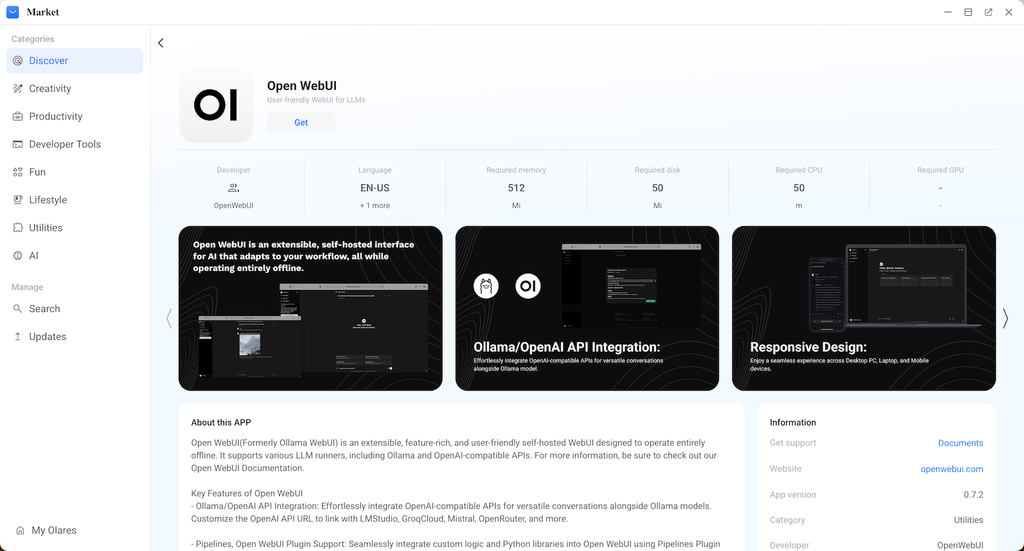
Start by installing a model runner on the machine that will host the assistant. This is the piece responsible for loading a language model into memory and answering requests. Once that is running, connect a chat interface to it, which is what turns raw model output into the familiar conversation window with history, threads, and formatting. Many people run into friction here because they try to configure both pieces manually, but a packaged environment such as Olares handles the networking and service management so the interface and the model runner talk to each other without extra setup. After the connection is confirmed, download one general-purpose model to test with, send a few messages, and confirm responses return quickly before adding specialized models for coding, writing, or research.
Once the basics work, spend time organizing how you access the assistant day to day. If it is running on a home server, set up a bookmark or shortcut so opening a chat feels as fast as any other app. If multiple people will use it, create separate profiles so histories stay distinct. This small bit of housekeeping is what turns a technical experiment into something you actually rely on.
Getting the Most Out of Daily Use
A local assistant rewards a bit of habit-building. Keep a couple of models on hand for different jobs rather than expecting one to do everything well, and revisit your model choices every few months since smaller, faster options keep improving. Back up your chat history and any custom prompts the same way you would back up other important files, since nothing is stored remotely to fall back on. Treat the setup less like a novelty and more like a tool that earns its place through consistent use.
Bringing Your Conversations Back Home
Setting up a local ai chat assistant takes a bit more effort than signing up for a cloud service, but the payoff is a tool that answers to you and no one else. You choose the hardware, the models, and who gets access, and none of that depends on a distant server staying available or trustworthy. Once the initial setup is done, daily use feels just as natural as any other chat app, minus the nagging question of where your words are going. For anyone who has hesitated to bring real work or personal thoughts into an AI conversation, that peace of mind alone can make the switch worthwhile.
